- What Is WordPress Website Optimization?
- Stop Trying to Fix Everything at Once
- Audit the Website Before You Optimize It
- Make Sure Search Engines Can Actually Find Your Important Pages
- Your Site Structure Can Hide Good Content
- A Fast Website Is Not Automatically a Good Website
- Understand Core Web Vitals Without Getting Lost in the Technical Details
- Images Are Often an Easy Place to Find Unnecessary Weight
- Plugins Aren’t Automatically the Problem
- Caching Helps, but It Doesn’t Fix Everything
- Mobile Is Not a Smaller Desktop
- SEO Problems Often Start With a Business Problem
- Titles and Headings Should Help People Decide Where They Are
- Don’t Write More Content Just Because Traffic Is Low
- Content Refreshing Is More Than Changing the Date
- AI Search Changes the Visibility Problem
- What Can You Actually Control in AI Search?
- What About GEO and AEO?
- Structured Data Helps Describe the Page, Not Manipulate Search
- Don’t Confuse llms.txt With an AI Search Guarantee
- Accessibility Is Part of Website Quality
- Security Is About Reducing Avoidable Risk
- Backups Are Not the Same as Security
- Website Health Is What Happens Between Big Audits
- Monitor Changes, Not Just Problems
- WooCommerce Requires a Different Optimization Mindset
- Conversion Problems Often Hide Behind “Traffic Problems”
- Trust Is Part of Optimization
- Third-Party Scripts Can Quietly Become a Performance Problem
- Don’t Optimize in Isolation
- Use a Simple Impact × Effort Model
- Fix the Pages That Matter Most First
- What Should You Automate?
- What Should Stay Under Human Control?
- Where VuloPilot Fits
- The Bigger Shift: From Website Optimization to Website Operations
- A Practical 30-Day WordPress Optimization Plan
- The Ongoing Optimization Checklist
- Common WordPress Optimization Mistakes
- The Real Goal of WordPress Optimization
- WordPress Optimization in 2027: The Practical Approach
- Final Thought
Your WordPress website is live. But it’s slow on mobile, traffic isn’t growing, important pages aren’t being found, and every audit seems to give you another list of problems.
So what do you actually fix first?
That’s the problem with WordPress optimization in 2027.
You’re not short of tools or recommendations, you’re short of clarity.
- One tool flags speed.
- Another flags SEO.
- Another finds broken links.
- Your security plugin wants updates.
- Search Console shows indexing issues.
And now you also have to think about how your website is discovered through AI search.
Fixing everything at once isn’t realistic.
Ignoring it isn’t an option either.
You need to know what’s hurting your website, what matters most, and what to fix next.
That’s what this guide covers, from performance and technical SEO to AI search visibility, security, content, WooCommerce, conversions, and ongoing website health.
What Is WordPress Website Optimization?
WordPress website optimization is the process of improving the parts of your website that affect discovery, usability, performance, trust, conversions, and ongoing health.
It is much broader than SEO.
A website can have excellent keyword targeting and still have:
- Important pages blocked from search engines
- Slow mobile experiences
- Poor internal linking
- Broken redirects
- Outdated plugins
- Weak content structure
- Confusing navigation
- Poor accessibility
- Slow checkout
- Security weaknesses
- Product pages that are difficult to discover
- Content that search engines and AI systems struggle to interpret
That is why optimization should not be treated as a one-time checklist.
A useful way to think about modern WordPress optimization is:
AUDIT → UNDERSTAND → PRIORITIZE → IMPROVE → MONITOR → AUTOMATE → GROW
The important part is prioritize.
You don’t need to fix 100 things.
You need to identify the things that are actually holding the website back.
Stop Trying to Fix Everything at Once
One of the biggest WordPress optimization mistakes is treating every warning as equally important.
It isn’t.
Imagine your audit reports:
| Issue | Possible impact |
|---|---|
| Missing meta description | Search-result presentation |
| 4-second mobile page load | User experience and engagement |
| Broken internal links | Page discovery |
| Outdated plugin | Maintenance/security risk |
| Large hero image | Performance |
| Important page blocked from indexing | Search visibility |
| Confusing checkout | Conversion friction |
These are not six equally urgent tasks.
A page accidentally blocked from indexing can be more important to your search visibility than rewriting ten meta descriptions.
A broken checkout can matter more to a store than improving a performance score by a few points.
An outdated plugin on a critical website may deserve attention before another round of content optimization.
The real question is not:
“How many issues does my website have?”
It is:
“Which issues are creating the most important problems?”
That changes how you approach optimization.
A Simple Prioritization Framework
For every issue, ask five questions:
- What is actually wrong?
- Which pages or users does it affect?
- What happens if I ignore it?
- How difficult is it to fix?
- How can I verify that the fix worked?
Then classify the issue:
Fix now
The problem affects something critical.
Examples:
- Important page blocked from indexing
- Broken checkout
- Major mobile usability problem
- Serious security or configuration issue
- Critical page returning an error
Fix next
The problem affects meaningful website performance but is not immediately blocking the business.
Examples:
- Slow templates
- Weak internal linking
- Large images
- Poor page structure
- Outdated content
Monitor
The issue is worth watching but does not currently justify major work.
Examples:
- Small performance fluctuations
- Minor warnings
- Pages with low strategic importance
This prevents optimization from becoming an endless maintenance project.
Audit the Website Before You Optimize It
The temptation is to start fixing things immediately.
Don’t.
First find out what is actually happening.
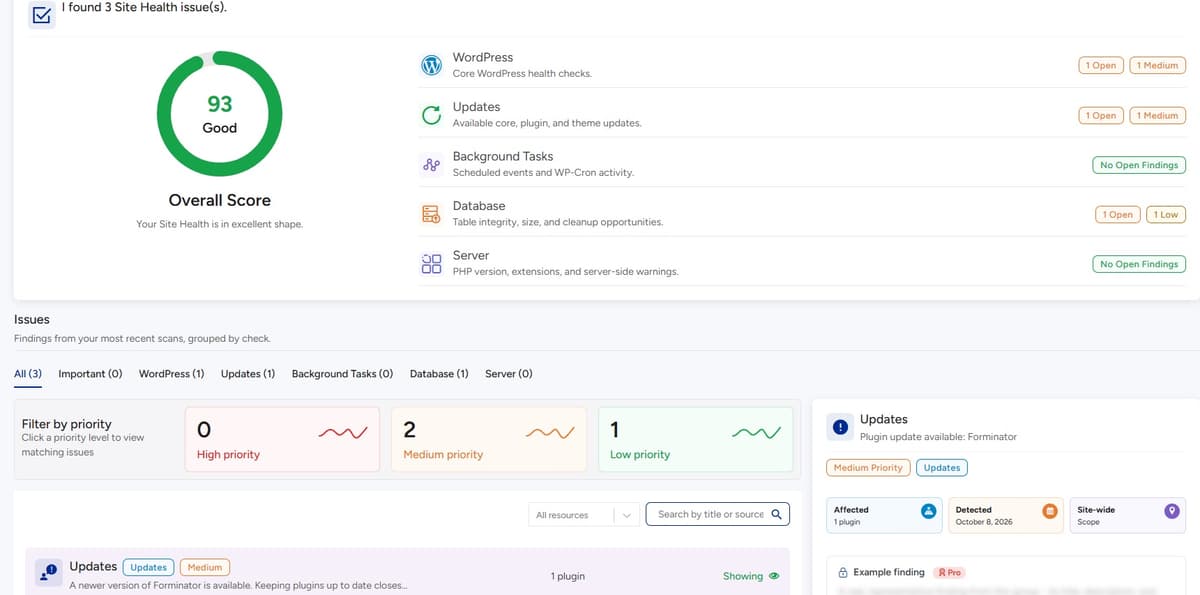
A useful website audit should look across several areas:
- Technical accessibility
- Crawlability
- Indexability
- Site structure
- Search visibility
- Content
- Performance
- Mobile experience
- Accessibility
- Security
- Website health
- WooCommerce
- Conversion paths
- AI/search discoverability
The goal isn’t to collect warnings.
The goal is to build a picture of the website.
What Should You Check First?
Start with the pages that matter most to the business.
For a local service business, that might be:
- Homepage
- Main service pages
- Location pages
- Contact page
For a SaaS company:
- Homepage
- Product pages
- Feature pages
- Pricing
- Documentation
- Comparison pages
For WooCommerce:
- Homepage
- Category pages
- Product pages
- Search
- Cart
- Checkout
Don’t begin with random URLs.
Begin with the pages that are supposed to generate discovery, trust, leads, or sales.
Make Sure Search Engines Can Actually Find Your Important Pages
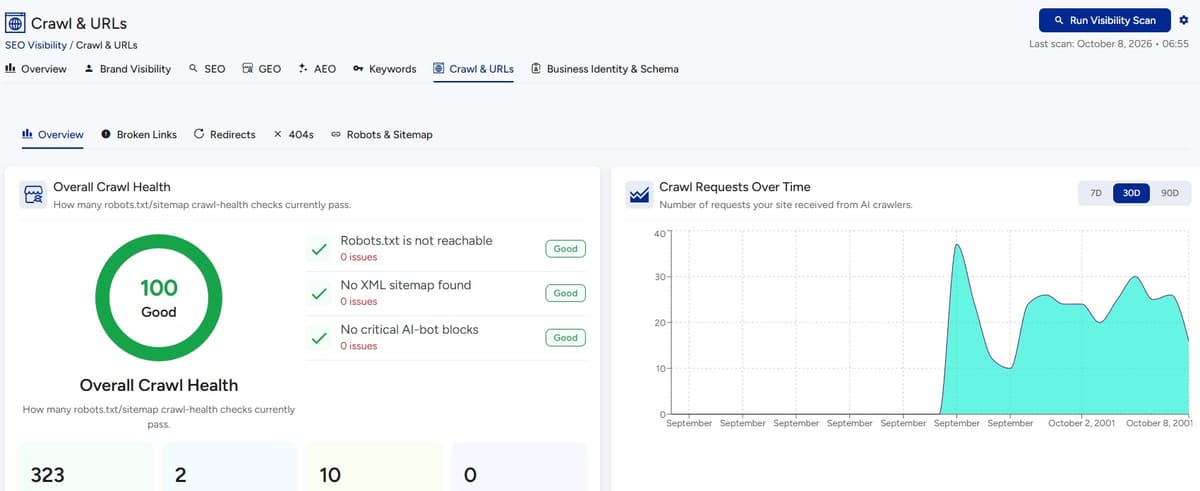
A beautifully written page doesn’t help much if search engines cannot properly access or index it.
This is where technical SEO becomes practical.
You need to distinguish between:
- Crawling: Can a search engine access the page?
- Indexing: Can the page be included in the search index?
- Ranking: How does the page perform for relevant searches?
These are different problems.
A page cannot perform in search in the way you expect if there is a fundamental accessibility or indexing problem.
Check These Technical Areas
Robots directives
Check whether important pages are accidentally restricted.
XML sitemap
Make sure the sitemap represents the pages you actually want discovered.
Canonical URLs
Check whether canonical signals are pointing toward the intended version of a page.
Redirects
Look for:
- Broken redirects
- Redirect chains
- Incorrect destinations
- Old URLs pointing to irrelevant pages
404 errors
A few legitimate 404 responses are not automatically a disaster.
The problem is when important links repeatedly lead users or crawlers to pages that no longer exist.
Internal links
Search engines don’t discover pages only through your sitemap.
Your site’s own links help communicate relationships between pages.
Ask yourself
The Business Question
Don’t ask only:
“Does my site have technical SEO errors?”
Ask:
“Can someone, or something, easily discover the pages that matter to my business?”
That is a much more useful question.
Your Site Structure Can Hide Good Content
You can publish excellent content and still make it difficult to discover.
This often happens when a website grows without a clear information architecture.
- A blog may have hundreds of articles but very few meaningful links between them.
- A service business may have separate pages for every service but no clear relationship between them.
- An ecommerce store may have thousands of products buried under poorly structured categories.
The result?
The website becomes a collection of pages instead of a connected information system.
Think in Relationships, Not Just Pages
Suppose you run a landscaping business.
You might have:
Landscaping
→ Garden Design
→ Patio Installation
→ Garden Fencing
→ Driveways
→ Garden Maintenance
Instead of treating these as isolated pages, connect them logically.
- A garden design page can link to relevant services.
- A patio page can link to maintenance.
- A location page can reference the services available there.
This helps visitors navigate and gives search engines additional context.
A Simple Internal Linking Test
Open one of your important pages.
Ask yourself
Ask:
- Which page led me here?
- Where should I go next?
- What related service or product exists?
- Is there supporting content?
- Is the page connected to the site’s main topic?
- Can a visitor reach important pages without hunting?
If the answer is no, your website may have an architecture problem rather than a content problem.
A Fast Website Is Not Automatically a Good Website
“Make WordPress faster” sounds simple.
It isn’t.
A website can score well in one performance test and still feel frustrating to a particular user.
Performance depends on many factors:
- Hosting
- Server response
- Page construction
- Images
- JavaScript
- CSS
- Fonts
- Plugins
- Themes
- Third-party scripts
- Caching
- Database operations
- Mobile device
- Network conditions
The goal isn’t to chase a perfect number.
The goal is to reduce unnecessary friction.
Understand Core Web Vitals Without Getting Lost in the Technical Details
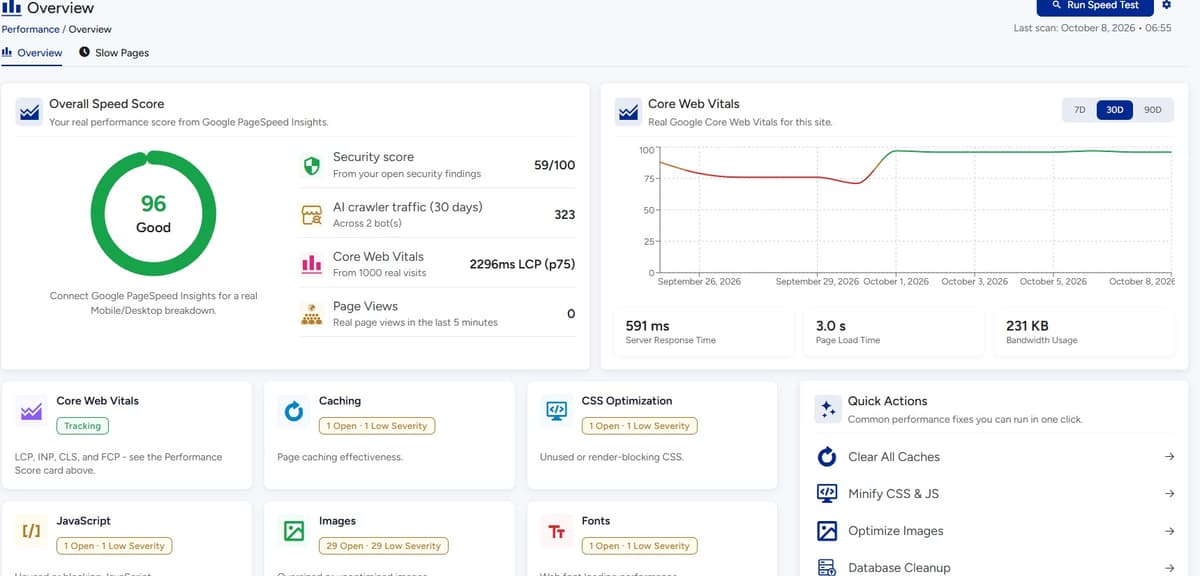
Core Web Vitals are metrics used to evaluate important aspects of user experience, including loading performance, responsiveness, and visual stability.
For most website owners, the practical question is more useful than the metric name:
Does the page become useful quickly, respond properly when someone interacts with it, and stay visually stable while loading?
That is what performance optimization should ultimately address.
Three Common Performance Problems
The page takes too long to become useful
Large images, slow servers, render-blocking resources, excessive scripts, or inefficient page construction can contribute.
The page feels slow when someone clicks
Heavy JavaScript can delay interaction.
The page jumps around while loading
Images without appropriate dimensions, injected content, ads, or dynamically loaded elements can contribute to layout instability.
Don’t Optimize the Score. Optimize the Experience.
Suppose you have two options:
Option A
Spend hours trying to increase a performance score slightly.
Option B
Remove a huge hero image, reduce unnecessary scripts, improve mobile loading, and make the booking form usable faster.
The second approach is usually easier to connect to an actual user experience.
The score is evidence.
The experience is the outcome.
Images Are Often an Easy Place to Find Unnecessary Weight
Images make websites better.
They also make websites heavier.
A common mistake is uploading a large image and letting WordPress or the browser deal with it later.
Ask yourself
Before uploading images, consider:
- Is this image actually needed?
- What dimensions does the layout require?
- Is the file larger than necessary?
- Is the format appropriate?
- Does the image need to load immediately?
- Is it being served efficiently?
Don’t compress every image blindly.
Start with the images that contribute the most to page weight.
Usually that means:
- Hero images
- Large banners
- Product galleries
- Background images
- High-resolution photography
Plugins Aren’t Automatically the Problem
“Too many plugins make WordPress slow” is an oversimplification.
The better question is:
What is each plugin actually doing?
A small plugin that performs a simple task may have little meaningful impact.
A plugin that loads substantial JavaScript, queries the database repeatedly, adds third-party requests, or affects many pages may have a much larger impact.
The same applies to themes and page builders.
Audit Your Plugin Stack
For each plugin, ask:
- Is it still necessary?
- Is it actively maintained?
- Does it affect the frontend?
- Does it load assets everywhere?
- Does it duplicate another plugin?
- Is it configured correctly?
- Is it updated?
Don’t uninstall plugins simply because an optimization article says “fewer plugins = faster WordPress.”
Measure the actual problem.
Caching Helps, but It Doesn’t Fix Everything
Caching can reduce repeated work and improve response times.
But caching cannot magically fix:
- oversized images
- inefficient JavaScript
- poor hosting
- broken queries
- excessive third-party scripts
- badly constructed pages
- a slow checkout process
Caching should be part of a performance strategy, not the entire strategy.
Mobile Is Not a Smaller Desktop
Your website can look perfect on your desktop and still create problems on mobile.
Check:
- Navigation
- Buttons
- Forms
- Text size
- Image scaling
- Pop-ups
- Sticky elements
- Checkout
- Product filters
- Tables
- Horizontal scrolling
- Tap targets
For ecommerce, go through the entire journey:
Product → Cart → Checkout → Payment
Don’t stop at the homepage.
SEO Problems Often Start With a Business Problem
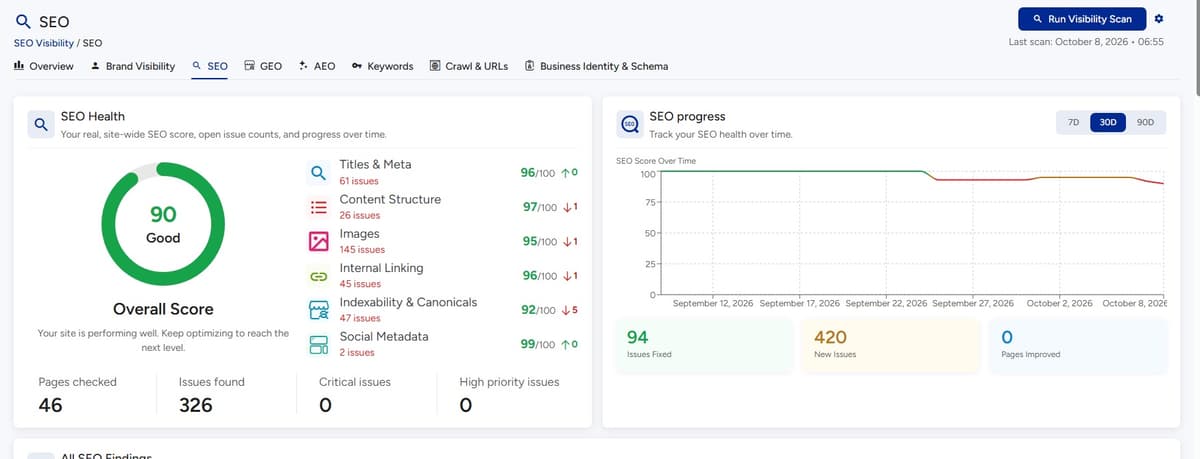
A page doesn’t become useful because it contains more keywords.
It becomes useful because it answers something the visitor actually needs.
Before optimizing a page, ask:
What does this page exist to help someone accomplish?
- A service page should explain the service.
- A product page should help someone understand and evaluate the product.
- A comparison page should make differences clear.
- A guide should answer the question thoroughly enough to be useful.
Match the Page to Search Intent
Consider a search for:
“WordPress security checklist”
Someone searching this is probably looking for practical information.
A page that immediately pushes a security product instead of answering the question misses the underlying intent.
Likewise:
“best accounting software for freelancers”
has a different intent from:
“how to create an invoice in WordPress.”
The page format should follow the problem.
Titles and Headings Should Help People Decide Where They Are
Your title and headings aren’t decoration.
They tell visitors and search systems what the page is about.
| Weak | Better |
|---|---|
| Services | WordPress Maintenance Services for Growing Businesses |
| More Information | How Our Website Audit Works |
A useful heading should help the reader understand what they will get from the section.
Don’t Write More Content Just Because Traffic Is Low
This is another common trap.
Traffic drops.
The immediate response is:
“We need more blog posts.”
Maybe.
Ask yourself
But first ask:
- Are existing pages indexed?
- Are important pages internally linked?
- Does the content match search intent?
- Are pages competing with each other?
- Is the content outdated?
- Are titles descriptive?
- Does the website clearly communicate what the business does?
- Are there technical barriers?
Publishing another 20 articles won’t necessarily solve an existing structural problem.
Sometimes the best content strategy is improving the content you already have.
Content Refreshing Is More Than Changing the Date
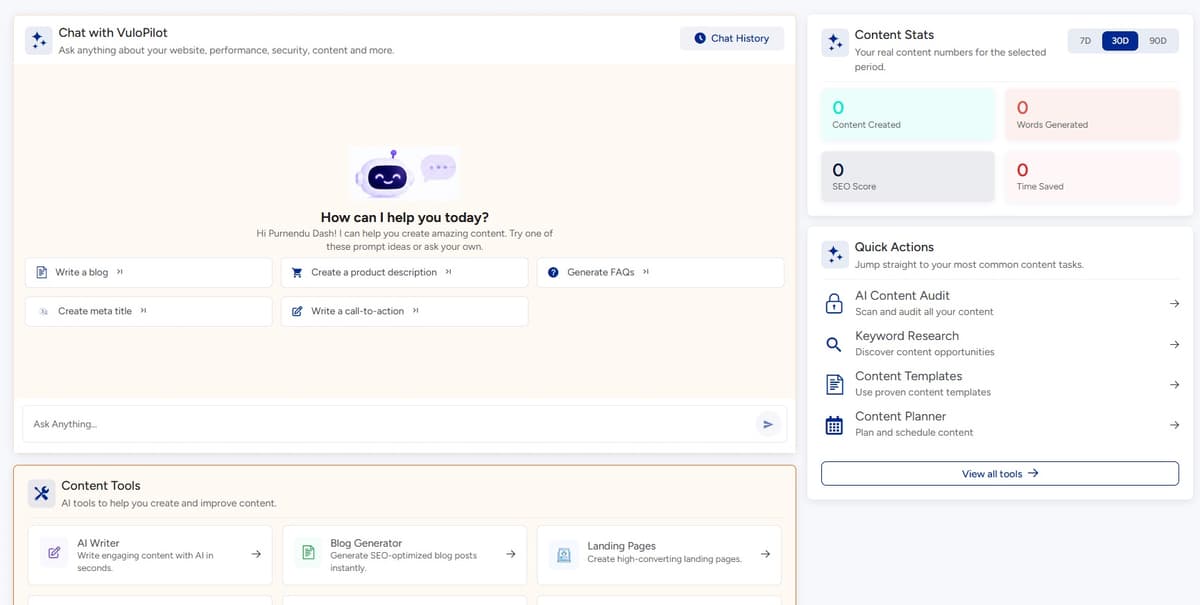
Refreshing a page should mean making it more useful.
Look for:
- Outdated information
- Missing sections
- Weak examples
- Poor structure
- Unclear definitions
- Broken links
- Missing supporting content
- Weak internal links
- Changed product information
- Search intent changes
Ask yourself
A genuine refresh asks:
“If someone lands here today, does this page still give them the information they need?”
AI Search Changes the Visibility Problem
Search is no longer limited to traditional results pages.
People increasingly interact with systems that summarize information, compare options, answer questions, and provide recommendations.
That creates a new website requirement:
Your information needs to be understandable to systems that may interpret your content rather than simply display a blue link.
This is where terms such as:
- AI search
- AEO
- GEO
- LLM visibility
- AI crawlers
- entity understanding
become relevant.
But don’t turn this into another checklist of mysterious AI tricks.
What Can You Actually Control in AI Search?
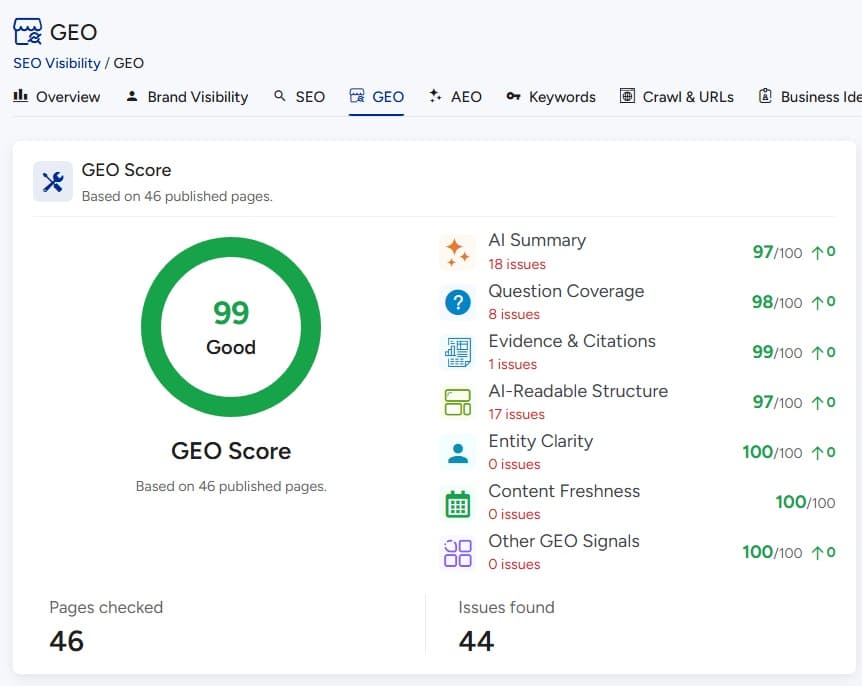
You cannot guarantee that an AI system will mention your business.
You can improve the conditions that make your website easier to understand.
Focus on:
- Clear information: Say exactly what your business does.
- Consistent entities: Keep important business information consistent across your website and relevant external sources.
- Structured information: Use appropriate structured data where it genuinely represents the page.
- Accessible content: Don’t hide important information behind unnecessary technical barriers.
- Useful answers: Create content that directly answers real questions.
- Authority: Support important claims with credible information and build a website that demonstrates expertise and trustworthiness.
- Good technical foundations: AI discovery still depends on a website being accessible and understandable.
The principle is simple:
Don’t try to write for a machine. Write clearly enough that machines can understand what humans can already understand.
What About GEO and AEO?
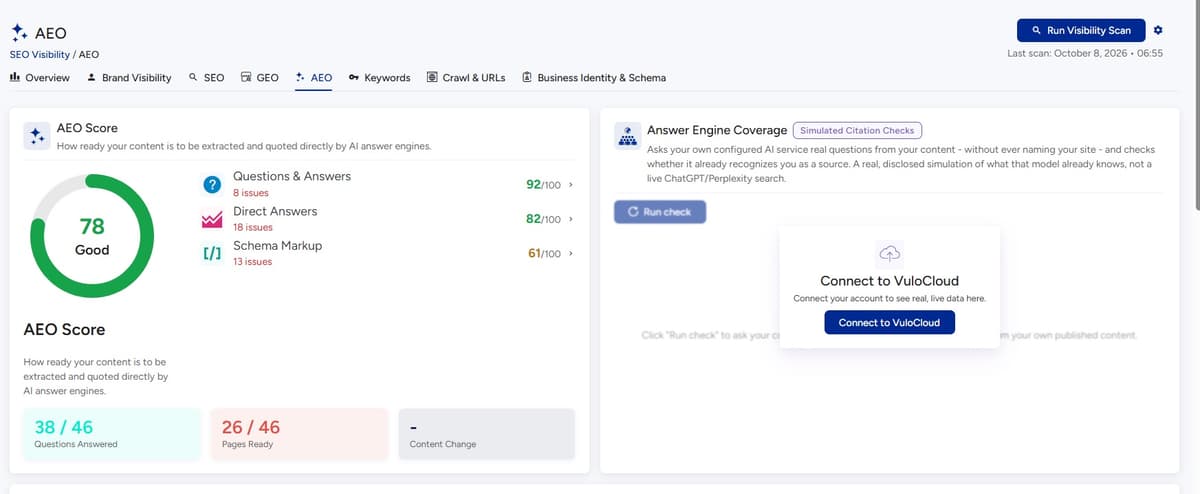
These terms describe efforts to improve how information can be surfaced in answer-oriented and generative search experiences.
But there is no reliable optimization trick that guarantees inclusion in AI-generated answers.
Instead, think about answer readiness.
A strong section should be able to answer a question independently.
For example:
What is WordPress website optimization?
WordPress website optimization is the process of improving a site’s technical health, performance, search visibility, usability, content, security, and conversion experience so the website is easier to discover, use, and maintain.
Then expand.
This structure benefits people first.
It also creates clearer information for systems that need to interpret the page.
Structured Data Helps Describe the Page, Not Manipulate Search
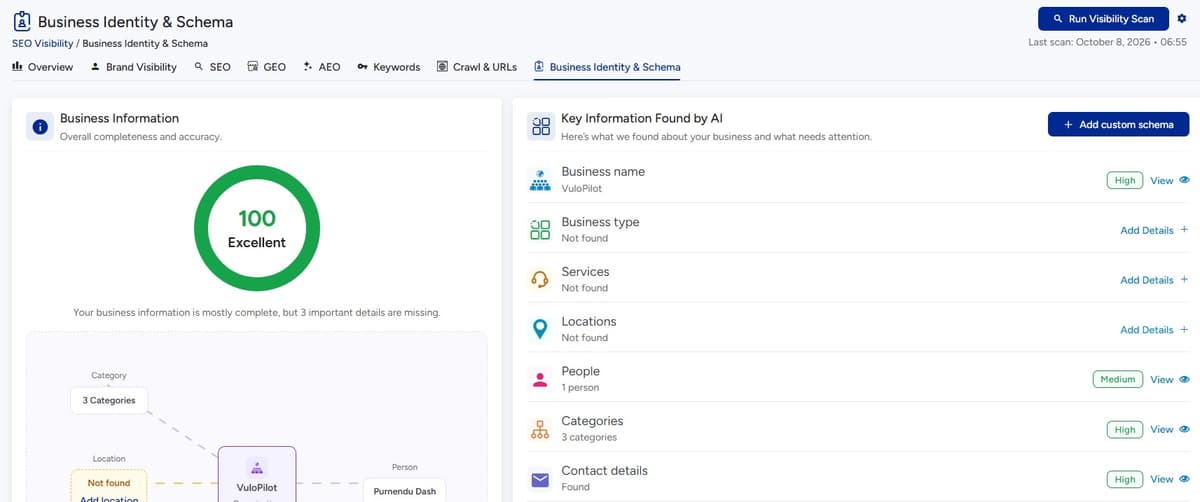
Structured data provides machine-readable information about page content.
Depending on the page, this can help describe things such as:
- Articles
- Products
- Organizations
- Local businesses
- Events
- Breadcrumbs
- Reviews, where eligible and genuinely represented
The important rule is simple:
Only mark up information that accurately represents the visible content and follows the relevant guidelines.
Adding schema everywhere doesn’t automatically improve visibility.
The quality of the underlying page still matters.
Don’t Confuse llms.txt With an AI Search Guarantee
You may have heard about llms.txt as part of discussions around AI-readable websites.
It is useful to understand the concept, but don’t treat it as a magic switch for AI visibility.
AI discovery involves much more than one file.
Your broader priorities remain:
- Accessible content
- Clear information architecture
- Good technical foundations
- Useful content
- Consistent business information
- Appropriate structured data
- Strong site content
The broader lesson is more important than the file itself:
Make your website understandable before worrying about another optimization format.
Accessibility Is Part of Website Quality
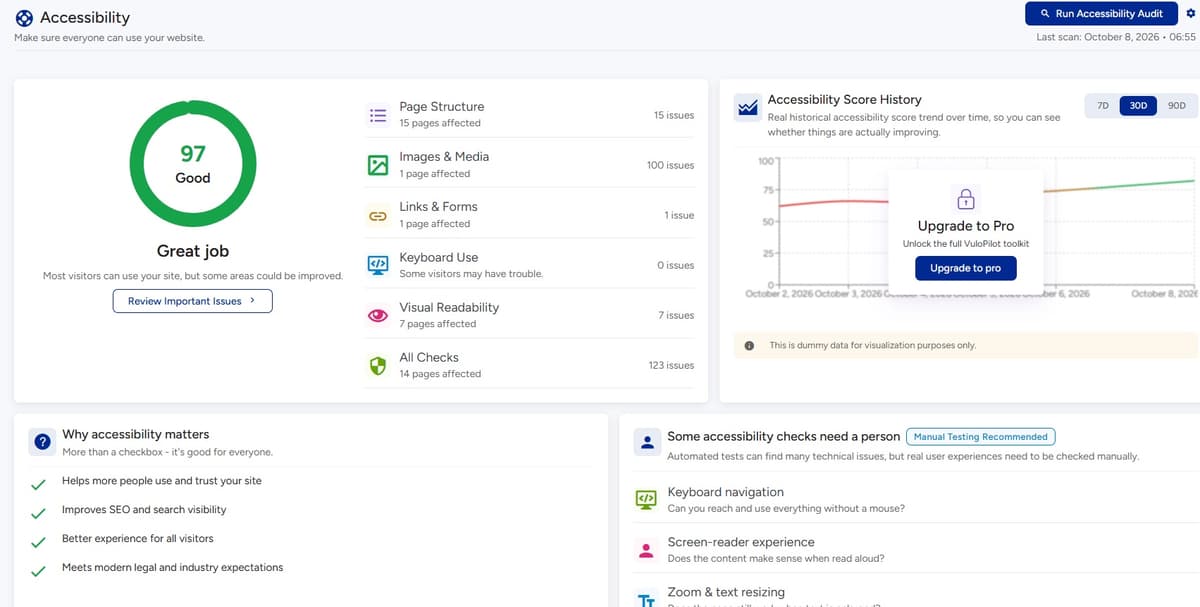
Accessibility is sometimes treated as a compliance task that sits outside SEO and performance.
For website owners, it is also a usability issue.
Look at:
- Keyboard navigation
- Form labels
- Image alternative text
- Heading hierarchy
- Link clarity
- Color contrast
- Focus states
- Accessible buttons
- Error messages
The goal is not to “score well” on an accessibility tool.
The goal is to make the website usable by more people.
Security Is About Reducing Avoidable Risk
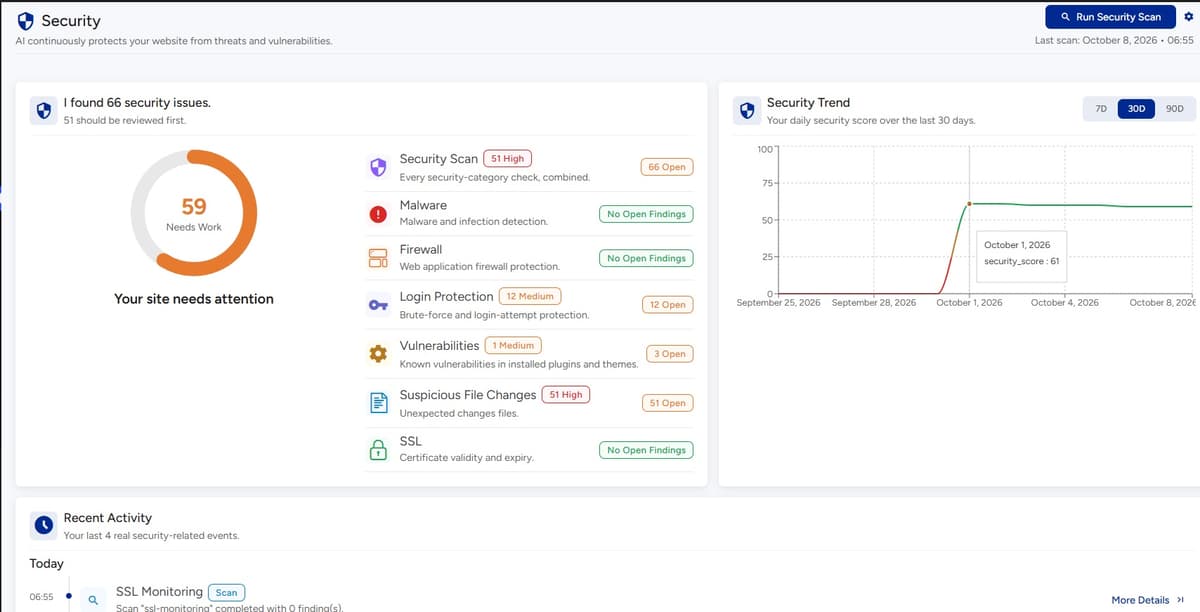
WordPress security doesn’t need fear-based marketing.
The practical goal is to reduce unnecessary attack surface and maintain the website responsibly.
Start with the basics:
- Keep WordPress updated
- Keep plugins and themes updated
- Remove software you no longer need
- Use strong administrator credentials
- Limit unnecessary administrator access
- Use HTTPS
- Maintain reliable backups
- Monitor important security events
- Review administrator accounts
- Choose plugins and themes carefully
The Plugin Problem Isn’t Simply “Plugins”
The real concern is unmanaged software.
An abandoned plugin can become a maintenance concern.
An outdated plugin can create risk.
A plugin with excessive permissions may increase the potential impact of a compromise.
That doesn’t mean you should panic every time WordPress shows an update.
It means you should have a process.
Know what is installed. Know why it is installed. Keep important software maintained.
Backups Are Not the Same as Security
A backup helps you recover.
It does not prevent an attack.
That distinction matters.
A sensible website maintenance approach considers both:
Prevention
- updates
- access control
- secure configuration
- monitoring
Recovery
- backups
- restoration procedures
- documented access
If you have never tested whether your backup can actually be restored, you don’t have the same level of confidence as someone who has.
Website Health Is What Happens Between Big Audits
A common workflow looks like this:
Audit → Fix → Forget
That’s a problem.
WordPress websites change constantly.
- You install a plugin.
- Someone edits a page.
- A theme changes.
- A redirect is added.
- A product is removed.
- A developer changes code.
- A third-party script is introduced.
- A plugin update changes frontend behavior.
Your website six months later may not resemble the website you audited today.
That is why monitoring matters.
Monitor Changes, Not Just Problems
A useful monitoring system should help answer:
- What changed?
- When did it change?
- Which pages are affected?
- Did performance improve?
- Did an issue return?
- Is an important page still accessible?
- Are technical problems increasing?
- Which issues need attention now?
The objective isn’t to create another dashboard full of numbers.
It’s to shorten the distance between:
Something went wrong
and
I know what happened and what to do about it.
WooCommerce Requires a Different Optimization Mindset
For a WooCommerce store, website optimization isn’t just about traffic.
The customer has to complete a journey.
Discovery → Product → Cart → Checkout → Payment
A problem anywhere in that path can affect the outcome.
Product Discovery
Check:
- Category structure
- Product titles
- Product descriptions
- Internal linking
- Filters
- Search
- Product availability
- Product images
Product Pages
Ask yourself
Ask:
- Can customers understand the product quickly?
- Are important details easy to find?
- Are images useful?
- Is pricing clear?
- Are variants understandable?
- Are shipping and returns easy to find?
- Is the page fast on mobile?
Checkout
This deserves special attention.
A store can have excellent SEO and still lose customers because checkout is difficult.
Check:
- Number of steps
- Form complexity
- Payment options
- Error handling
- Mobile usability
- Unexpected costs
- Loading delays
- Trust information
Optimization should follow the customer’s journey, not just the homepage.
Conversion Problems Often Hide Behind “Traffic Problems”
Suppose your website receives visitors but generates very few enquiries.
The instinct may be:
“We need more traffic.”
But first ask:
What happens after someone arrives?
Look at:
- Clarity of the offer
- Calls to action
- Navigation
- Forms
- Trust signals
- Pricing information
- Contact options
- Mobile usability
- Page speed
- Checkout
More traffic doesn’t automatically solve a broken conversion path.
Sometimes the highest-value optimization is improving the visitors you already have.
Trust Is Part of Optimization
Visitors make decisions quickly.
They want to know:
- Who is behind this website?
- What does this company actually do?
- Can I contact them?
- Is the information current?
- Are prices or terms clear?
- Is there evidence of experience?
- What happens after I submit a form?
- Can I trust the checkout?
Trust isn’t created by adding “Trusted Company” to a page.
It comes from consistent evidence.
That includes:
- Clear business information
- Accurate contact details
- Transparent policies
- Useful content
- Real customer information where appropriate
- Secure browsing
- Professional page structure
- Consistent branding
- Clear expectations
Third-Party Scripts Can Quietly Become a Performance Problem
Analytics, chat tools, advertising, social widgets, heatmaps, consent platforms, personalization tools and other services can add functionality.
They can also add requests and JavaScript.
If your website has accumulated dozens of external services over time, audit them.
Ask yourself
For each one ask:
Does the business still need this?
If not, remove it.
If yes:
Does it need to load on every page?
Sometimes the easiest performance improvement is deleting something nobody uses anymore.
Don’t Optimize in Isolation
This is where many optimization projects go wrong.
Someone improves SEO.
Another person improves performance.
Another manages security.
Another edits content.
Another manages conversion.
Each person may be doing their job correctly while the website becomes difficult to manage as a whole.
Modern optimization requires looking at the relationships.
For example:
Image optimization
→ smaller page resources
→ faster loading
→ less user friction
→ better experience
→ potentially better engagement/conversion conditions
Or:
Better internal linking
→ easier navigation
→ clearer content relationships
→ improved discoverability
→ stronger information architecture
Or:
Removing outdated software
→ lower maintenance burden
→ reduced exposure to known software issues
→ healthier website operations
The technical change is only the beginning.
Use a Simple Impact × Effort Model
When you have a long audit report, classify each problem using two questions:
How much could this matter?
and
How difficult is it to fix?
| Low effort | High effort | |
|---|---|---|
| High impact | Do first | Plan carefully |
| Low impact | Batch later | Usually defer |
This prevents your team from spending three hours fixing a low-value warning while an important business page remains broken.
Fix the Pages That Matter Most First
Not every URL deserves equal optimization effort.
Create a priority list.
Tier 1: Business-critical
- Homepage
- Main product pages
- Main service pages
- Pricing
- Checkout
- Lead-generation pages
Tier 2: Discovery-supporting
- Category pages
- Location pages
- Comparison pages
- High-value guides
- Supporting content
Tier 3: Low-priority pages
- Old posts
- Low-value archives
- Pages with little strategic importance
This doesn’t mean Tier 3 pages should never be improved.
It means they shouldn’t distract you from Tier 1 problems.
What Should You Automate?
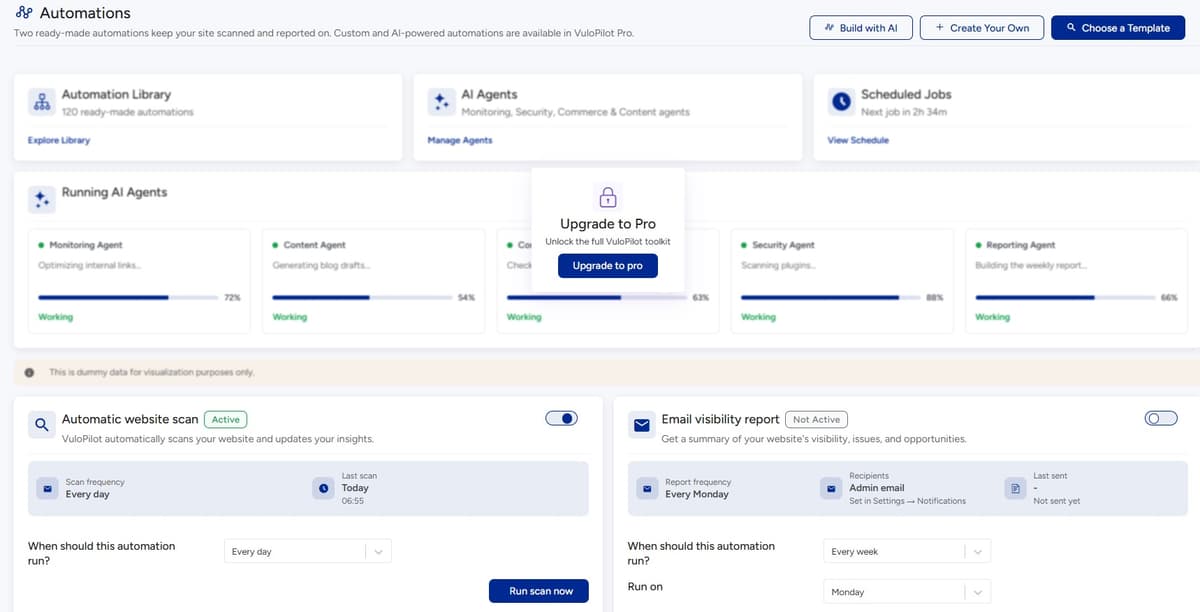
A useful question for every recurring task is:
“Why am I still checking this manually?”
Good candidates for automation include:
- Recurring website audits
- Monitoring
- Alerts
- Repetitive checks
- Reporting
- Identifying recurring issues
- Certain content optimization tasks
- Routine maintenance workflows
But automation should not mean surrendering control.
What Should Stay Under Human Control?
Some decisions require context.
For example:
Whether a page should exist
A system can identify a low-performing page.
It cannot automatically know whether the page supports an important business strategy.
Whether content is accurate
AI can help draft or improve content.
A human should verify important claims.
Whether a technical recommendation is worth implementing
A tool can identify an issue.
The owner still needs to understand its business impact.
Whether a page should be changed
Optimization should not destroy useful content simply because a tool recommends a change.
The right model is:
AI assists. Evidence informs. Humans decide.
Where VuloPilot Fits
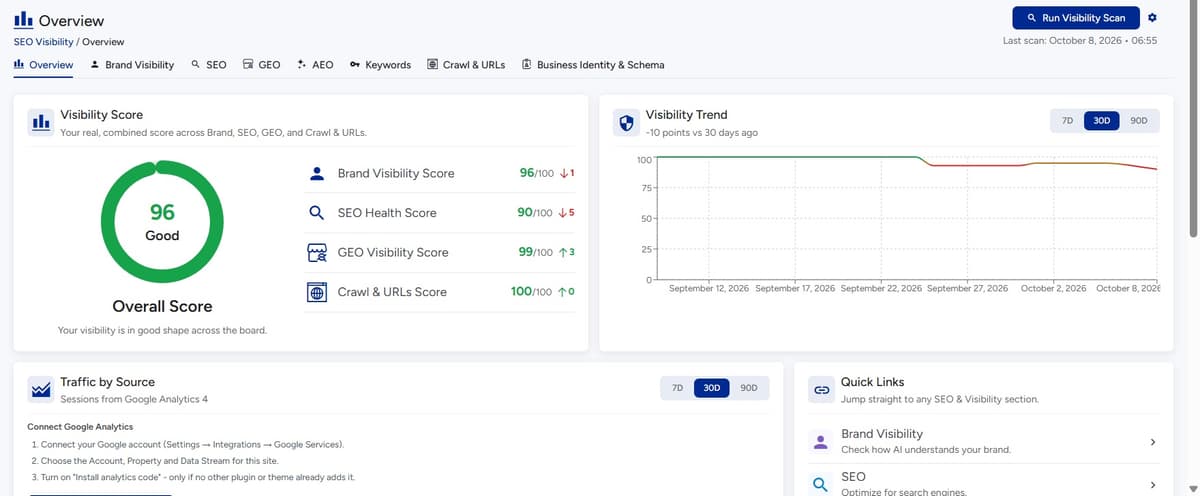
The problem VuloPilot is designed around is not that WordPress owners have too few tools.
It is that website management can become fragmented across too many tools, dashboards, warnings, and manual workflows.
VuloPilot is positioned as an AI Operating System for WordPress, an operating layer for continuously understanding and improving website visibility, performance, security, health, content, and growth.
The useful distinction is this:
A traditional workflow often looks like:
Audit → spreadsheet → assign tasks → fix → manually check again
A more continuous workflow can look like:
Audit → understand → prioritize → improve → monitor → automate
VuloPilot’s role fits into that broader operating model rather than replacing the website owner.
Mission Control: See What Needs Attention
The first problem isn’t always fixing something.
Sometimes it’s knowing what deserves attention.
A centralized view of website issues can help turn scattered warnings into a more understandable set of priorities.
The value isn’t the dashboard itself.
The value is reducing the time spent figuring out:
“What should I look at today?”
Search Visibility: Find Search Problems Earlier
Search visibility isn’t just about keywords.
It involves technical accessibility, content, page structure, discoverability, and the quality of information presented to search engines.
A continuous view of these areas can help website owners identify issues before they become buried in a long audit report.
Improve Speed: Focus on Actual Performance Problems
Performance optimization works better when it begins with evidence.
Instead of assuming that every plugin or image is the problem, identify where performance issues occur and investigate the underlying cause.
The goal is not simply a better number.
It is a better experience.
Protect Site: Make Security Maintenance More Manageable
Security is an ongoing responsibility.
Monitoring software, website health, and configuration can reduce the chance that maintenance issues simply sit unnoticed.
But no tool eliminates the need for responsible website administration, updates, access control, and backups.
Create Content: Use AI Where It Helps
AI can be useful for:
- Interpreting information
- Suggesting improvements
- Helping structure content
- Supporting repetitive work
- Turning analysis into actionable recommendations
But the final content still needs human review.
Especially when it involves:
- Business claims
- Technical information
- Product details
- Legal information
- Pricing
- Customer promises
Sell More: Connect Website Improvements to the Customer Journey
Optimization shouldn’t stop at search traffic.
For commercial websites, the ultimate journey is often:
Discover → Understand → Trust → Act
For ecommerce:
Discover → Product → Cart → Checkout → Purchase
Improving the website means removing unnecessary friction across that journey.
Automate Work: Stop Repeating the Same Checks
A website owner shouldn’t have to rediscover the same problems every week.
Where appropriate, recurring checks, monitoring, reporting, and repetitive optimization workflows can be handled more systematically.
That gives the owner more time to make decisions rather than repeatedly collect information.
The Bigger Shift: From Website Optimization to Website Operations
This is the idea behind modern WordPress optimization.
Your website isn’t a document you publish once.
It is a system.
It changes when:
- You publish content
- You remove content
- You install plugins
- Plugins update
- Your theme changes
- Products change
- Search behavior changes
- Users change
- AI search evolves
- Your business changes
So optimization should evolve too.
The operating model becomes:
- AUDIT: Find what changed.
- UNDERSTAND: Determine why it matters.
- PRIORITIZE: Decide what deserves attention.
- IMPROVE: Make the change.
- VERIFY: Check whether the change worked.
- MONITOR: Watch for new problems.
- AUTOMATE: Reduce repetitive work.
- GROW: Use the healthier website as a foundation for the next stage.
A Practical 30-Day WordPress Optimization Plan
You don’t need to rebuild your website tomorrow.
Start with the fundamentals.
Step 01
Week 1: Understand
Audit:
- Important pages
- Indexability
- Crawlability
- Sitemap
- Redirects
- Broken links
- Performance
- Mobile experience
- Security basics
- Plugin/theme health
Don’t fix everything yet.
Build the problem list.
Step 02
Week 2: Prioritize
Identify:
- Critical: Problems that block important website functions or discovery.
- High impact: Problems affecting important pages, users, search visibility, or conversions.
- Medium impact: Problems worth addressing after the fundamentals.
- Low impact: Minor improvements that can wait.
Step 03
Week 3: Improve
Start with:
- Technical blockers
- Important page accessibility
- Major performance problems
- Broken customer journeys
- Important content issues
- Security maintenance
- Internal linking
Don’t spend the entire week polishing minor metadata while major problems remain.
Step 04
Week 4: Verify and Monitor
After making changes:
- Recheck the affected pages
- Test mobile
- Test forms
- Test checkout
- Check redirects
- Recheck performance
- Verify indexing-related changes
- Monitor important pages
Then document what changed.
You now have a baseline.
The Ongoing Optimization Checklist
Once the initial cleanup is complete, establish a recurring process.
Technical
- Are important pages accessible?
- Are there new errors?
- Are redirects working?
- Is the sitemap healthy?
- Are important pages indexable?
Performance
- Are important pages still fast?
- Have new scripts been introduced?
- Are large images appearing?
- Has mobile performance changed?
Content
- Is important content still accurate?
- Are pages competing with each other?
- Are new pages properly linked?
- Are important questions unanswered?
Search
- Are priority pages being discovered?
- Are search impressions changing?
- Are there unexpected indexing issues?
- Are important pages aligned with search intent?
Security
- Are WordPress, plugins, and themes maintained?
- Are administrator accounts current?
- Are backups working?
- Are there unusual warnings?
Commerce
- Can customers find products?
- Does search work?
- Does checkout work?
- Does mobile purchasing work?
- Are product pages clear?
AI discovery
- Is business information clear?
- Are important entities consistent?
- Is useful information accessible?
- Can individual sections answer common questions clearly?
Common WordPress Optimization Mistakes
Mistake 1: Chasing scores
A score is useful evidence. It isn’t the website.
Mistake 2: Fixing whatever tool complains about first
Tools don’t understand your business priorities as well as you do.
Mistake 3: Publishing more instead of improving existing pages
More content does not automatically solve weak architecture or poor intent matching.
Mistake 4: Treating every plugin as a performance problem
Measure the actual impact.
Mistake 5: Ignoring mobile
Your desktop experience is not the complete customer experience.
Mistake 6: Treating SEO as separate from UX
A page needs to be discoverable and useful.
Mistake 7: Treating AI search as a trick
There is no magic phrase, schema type, or file that guarantees AI visibility.
Mistake 8: Automating every decision
Automation should reduce repetitive work, not remove human judgment.
Mistake 9: Auditing once and forgetting
Websites change. Your optimization process needs to change with them.
The Real Goal of WordPress Optimization
It is easy to lose sight of the goal.
You don’t optimize WordPress because you enjoy fixing warnings.
You optimize it because the website has a job to do.
Maybe that job is:
- Generate enquiries
- Sell products
- Publish information
- Build authority
- Acquire customers
- Support existing customers
- Generate subscriptions
- Drive bookings
- Build a community
Every optimization decision should eventually connect back to that purpose.
The chain should look like:
Technical improvement
→ better user experience
→ easier discovery
→ stronger trust
→ fewer points of friction
→ better conditions for the business outcome.
That is much more useful than saying:
“We increased our optimization score.”
WordPress Optimization in 2027: The Practical Approach
The biggest change isn’t that WordPress suddenly needs hundreds of new optimization techniques.
The bigger change is that websites now operate in a much more complicated discovery and customer environment.
Your website may need to work for:
- Human visitors
- Search engines
- Mobile users
- Accessibility technologies
- AI-powered search experiences
- Ecommerce customers
- Internal marketing teams
- Developers
- Business owners
And all of those systems interact with the same website.
That makes clarity and prioritization more important than ever.
You don’t need to optimize everything.
You need to understand the system well enough to know what matters.
What Should You Do First?
If your WordPress website currently feels like a collection of warnings, don’t start by opening another optimization tool.
Start here:
Step 01
Identify your most important pages
What pages actually drive discovery, enquiries, sales, or trust?
Step 02
Check whether those pages work
- Can people access them?
- Can search engines discover them?
- Are they usable on mobile?
Step 03
Find the biggest problems
Look for issues affecting:
- Accessibility
- Indexability
- Performance
- Security
- Content
- Conversion
Step 04
Prioritize
Separate critical problems from minor warnings.
Step 05
Fix the fundamentals
Remove blockers before polishing details.
Step 06
Improve important pages
Make the content clearer, more useful, and better connected.
Step 07
Monitor
Check whether your changes actually improved the situation.
Step 08
Automate what keeps repeating
Don’t make yourself manually rediscover the same problems every month.
Final Thought
The biggest WordPress optimization mistake is believing the job is finished when the audit turns green.
Websites don’t stay still.
- Content changes.
- Plugins update.
- Pages are added and removed.
- Customers behave differently.
- Search evolves.
- AI changes how information is discovered.
So the better question isn’t:
“Is my WordPress website optimized?”
It’s:
“Do I know what is affecting my website right now, and do I have a process for improving it?”
That is the shift from one-time optimization to continuous website operations.
And that is what a modern WordPress optimization strategy should ultimately deliver:
Less guesswork. Better priorities. Fewer recurring problems. A website that keeps improving.
Key Takeaways
- Don’t treat every website warning as equally important.
- Start with the pages that matter most to the business.
- Fix technical blockers before polishing minor SEO details.
- Optimize the user experience, not just performance scores.
- Make content useful, clear, structured, and aligned with search intent.
- Treat AI search as an extension of discoverability, not a collection of guaranteed tricks.
- Monitor the website continuously because WordPress websites constantly change.
- Automate repetitive work while keeping important decisions under human control.
- Think beyond SEO: performance, security, accessibility, content, commerce, and conversion are connected.
- The goal isn’t a perfectly optimized website. It’s a website where the important things work, and you know what to fix next.